ianaiERP Enterprise · Powered by Wamino
Custom AI that knows how your business works
Give AI the context your team uses every day: your ERP records, business rules, and the steps people follow to get work done. We build it around your operations. You decide who can use it, what it can see, and when it needs approval.
Talk to us about Enterprise AIWhich of my open quotes should I follow up on this week?
AI Business Strategist
Start with these three quotes. They’ve been open longest in your accounts. I can show you the quote records and help you decide who to contact first.
The Strategist checks the records you’re allowed to see. If your role can’t view margins, the AI can’t use them for your answer.
The technology
What is Wamino?
Wamino is the technology behind custom AI in ianaiERP. It connects AI to the ERP records it’s allowed to use and gives it your procedures, tools, and a defined job. That’s how an AI Employee can understand what an exception means for your team and know who should handle it next.
AI Business Strategy
Ask the AI Business Strategist where margins are slipping, which quotes need follow-up, or where cash is tied up. It can explain a finding using the ERP records you can access and help you track what your team decides to do next.
Custom AI Studio Apps
Build an app around a process specific to your business. In Studio, combine an AI Employee with workflows and pages. For example, build a supplier exception app that gathers the relevant purchase orders, flags discrepancies, and routes them to a buyer for review.
AI Employees in your ERP
An AI Employee is an assistant with a defined job, such as reviewing open quotes or checking shipment delays. Open the AI workspace in ianaiERP to chat with the AI Employees available to you, ask follow-up questions, and investigate the records behind an answer.
See the AI workspace and Studio
Chat with an AI Employee
Choose an AI Employee from the sidebar to start a conversation. In this demo, the AI Business Strategist reviews ERP records and flags an overdue balance for follow-up.
Open full-size chat screenshot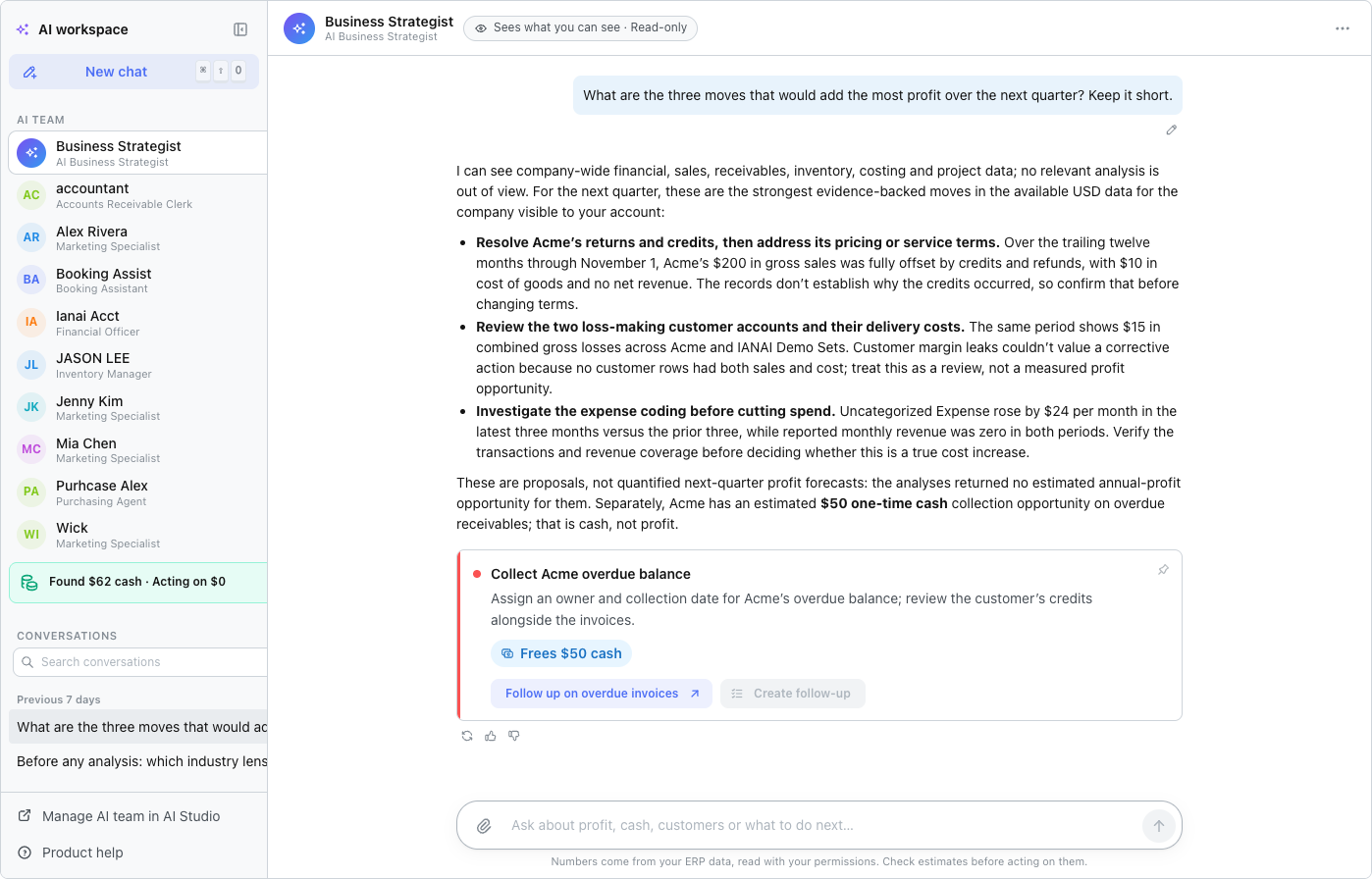
Open an app in Custom AI Studio
This draft app brings a workflow, two pages, and an AI Employee definition into one Studio workspace. Each resource shows its own status.
Open full-size Studio screenshot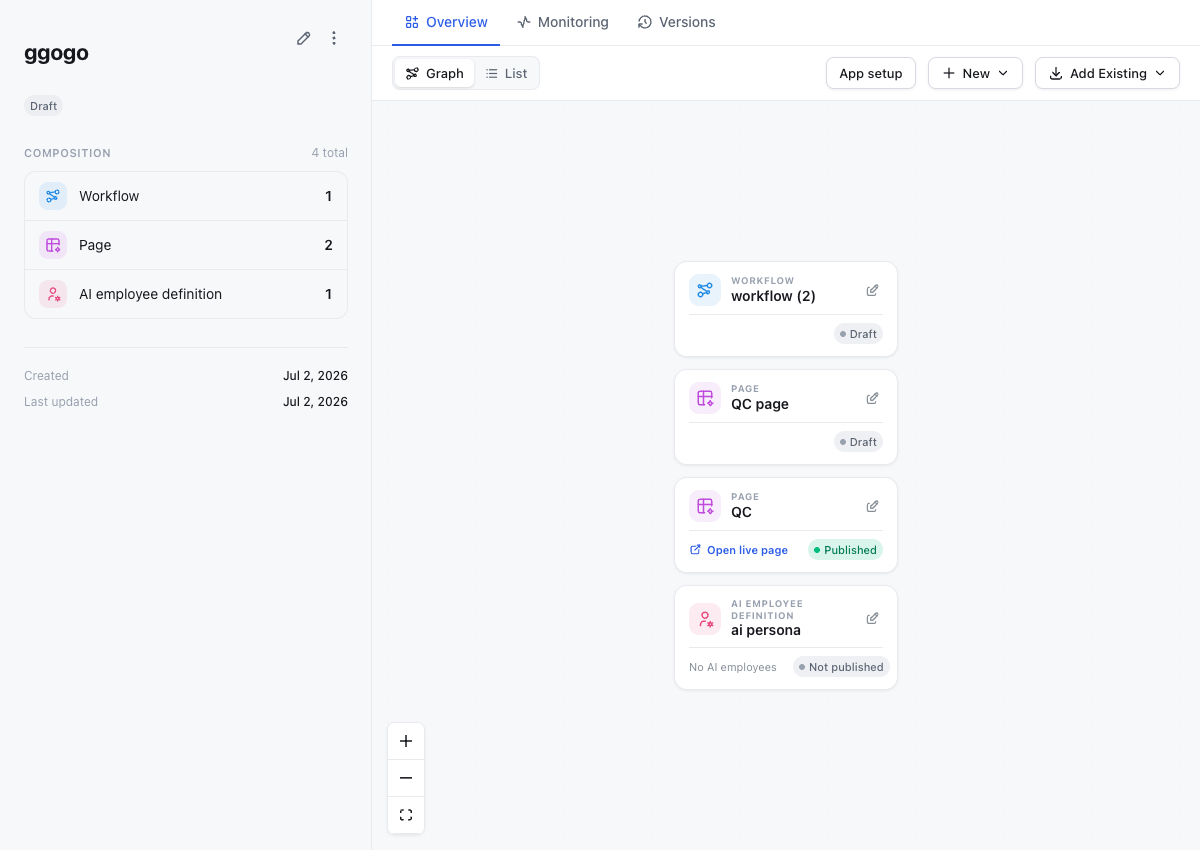
Your team sets the boundaries
- Control who sees what
- Set who can use each AI Employee and which data it needs for its role. In Strategist chat, ERP access follows the signed-in user’s permissions.
- Decide what AI can do
- Scope the tools and actions to the job. A workflow can gather records and prepare a recommendation, then stop for a person to approve the next step.
- Review before rollout
- Review Studio drafts and test the workflow before publishing. Give the people responsible for the process a chance to check how the AI handles routine work and exceptions.
Start with one process your team knows well
Tell us where work slows down, which records the team uses, and who signs off. We’ll help you design a custom AI Employee or Studio app around that process.