MES Software
Built Into Your ERP
Dispatch work orders, capture every operation on tablets and scanners, and see WIP, scrap and downtime as they happen. It runs on the same database as your ERP, so there's no integration project.
Request DemoTrusted by KG Firedoor and growing manufacturers across the US and Asia
“ianaiERP completely transformed the way we handle complex ODM orders. We can now execute large-scale custom manufacturing reliably, without production bottlenecks.”
Operations Director, KG Firedoor · ODM manufacturing, South Korea
Not ready for a demo? Read how they did itMES functions included
- Work order release and dispatch to work centers
- Operator screens on tablets and rugged scanners
- PLC and machine connections for automatic counts and machine status
- Real-time WIP, labor and machine time by operation
- OEE by machine and line, with downtime logged by cause and cost
- Equipment management: machine records, maintenance and history
- Scrap, rework and first-pass yield
- In-process inspections with quality holds
- Lot and serial genealogy, forward and backward
- Finite capacity scheduling and MRP
All on the same database as inventory, purchasing and finance.
KG Firedoor, ODM manufacturer, South Korea
A BOM per order
Generated for each ODM order and updated as designs change
Orders to production
Customer orders linked straight to production timelines
Live inventory
Tracked in real time, so no overstock or shortages
MES + ERP, or one system
Why manufacturers skip the standalone MES
A separate MES means a second database, an integration to build and maintain, and two vendors. Here's what changes when execution lives inside the ERP.
| ianaiERP | Standalone MES + ERP | |
|---|---|---|
| Work orders flow from sales orders and MRP to the floor | Built in | Through an integration |
| Actual labor, scrap and material reach job cost | As each operation closes | After a sync |
| Inventory updates when an operation completes | Yes | Depends on the integration |
| Systems to buy, run and upgrade | 1 | 2 |
| MES-to-ERP integration project | None | Required |
| Time to go live | About 8 weeks per line | Two separate projects |
Production, end-to-end
What ianaiERP does for your shop floor
Designed by people who have stood on production floors — not just dashboards.
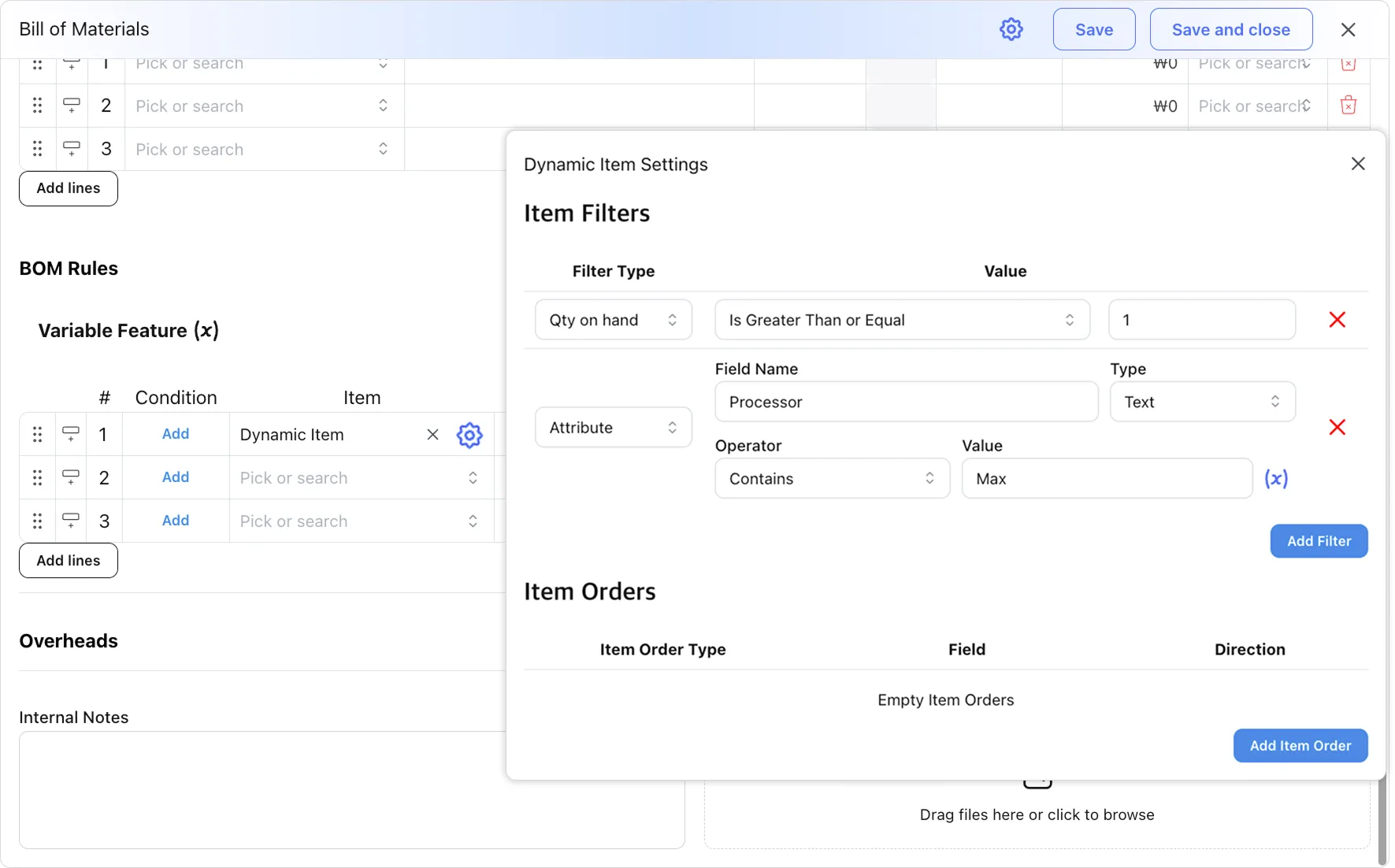
BOMs and routings
Dynamic BOMs with options, substitutes, and version control. Routings tied to work centers, with realistic capacity and setup times.
- •Phantom and option BOMs
- •Effectivity dates and revisions
- •Routing-to-work-center capacity
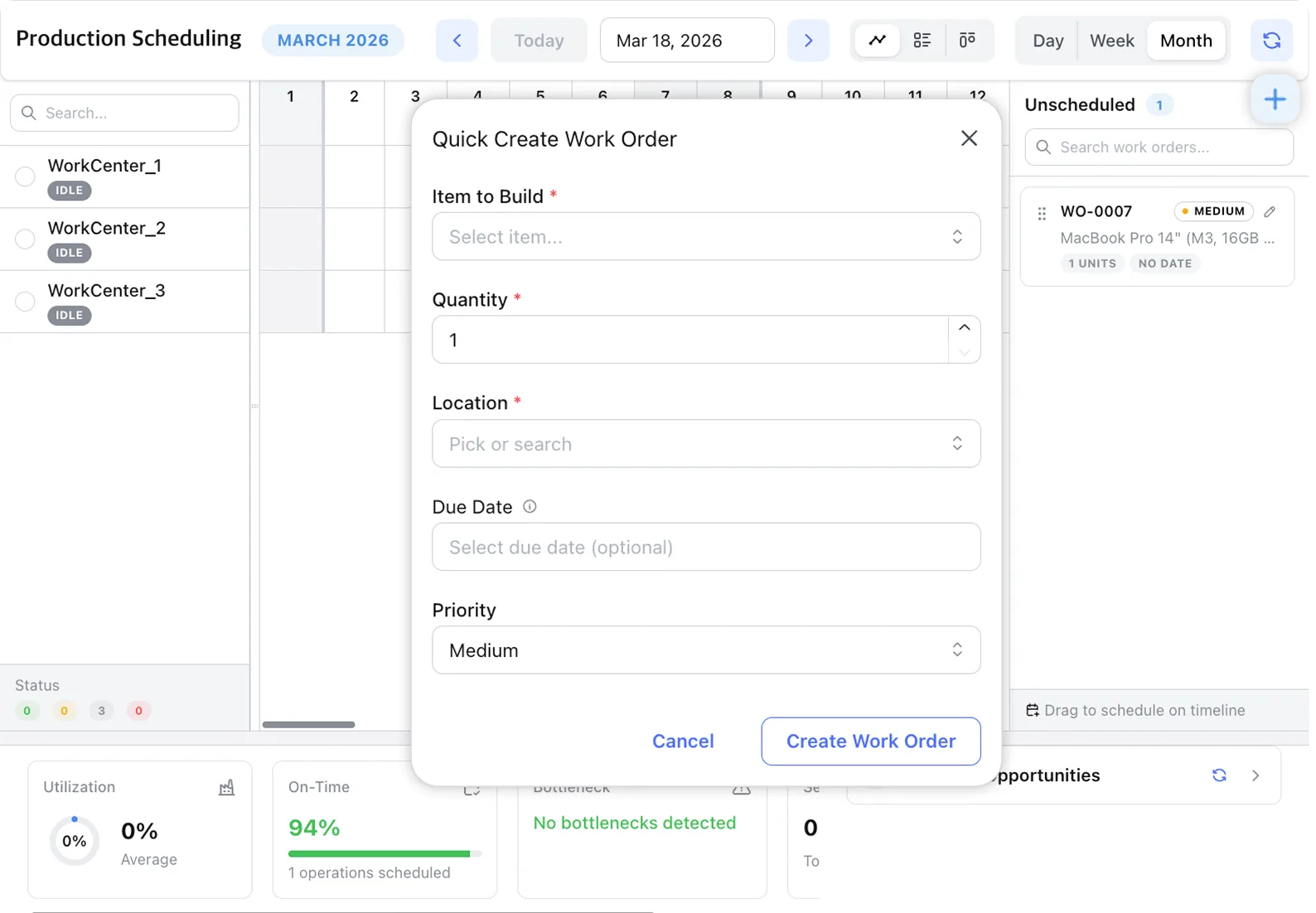
Work orders and MRP
Auto-generate work orders from sales orders or forecasts. MRP nets demand against on-hand and on-order in seconds.
- •One-click work-order release
- •MRP across multiple warehouses
- •Material reservations by job
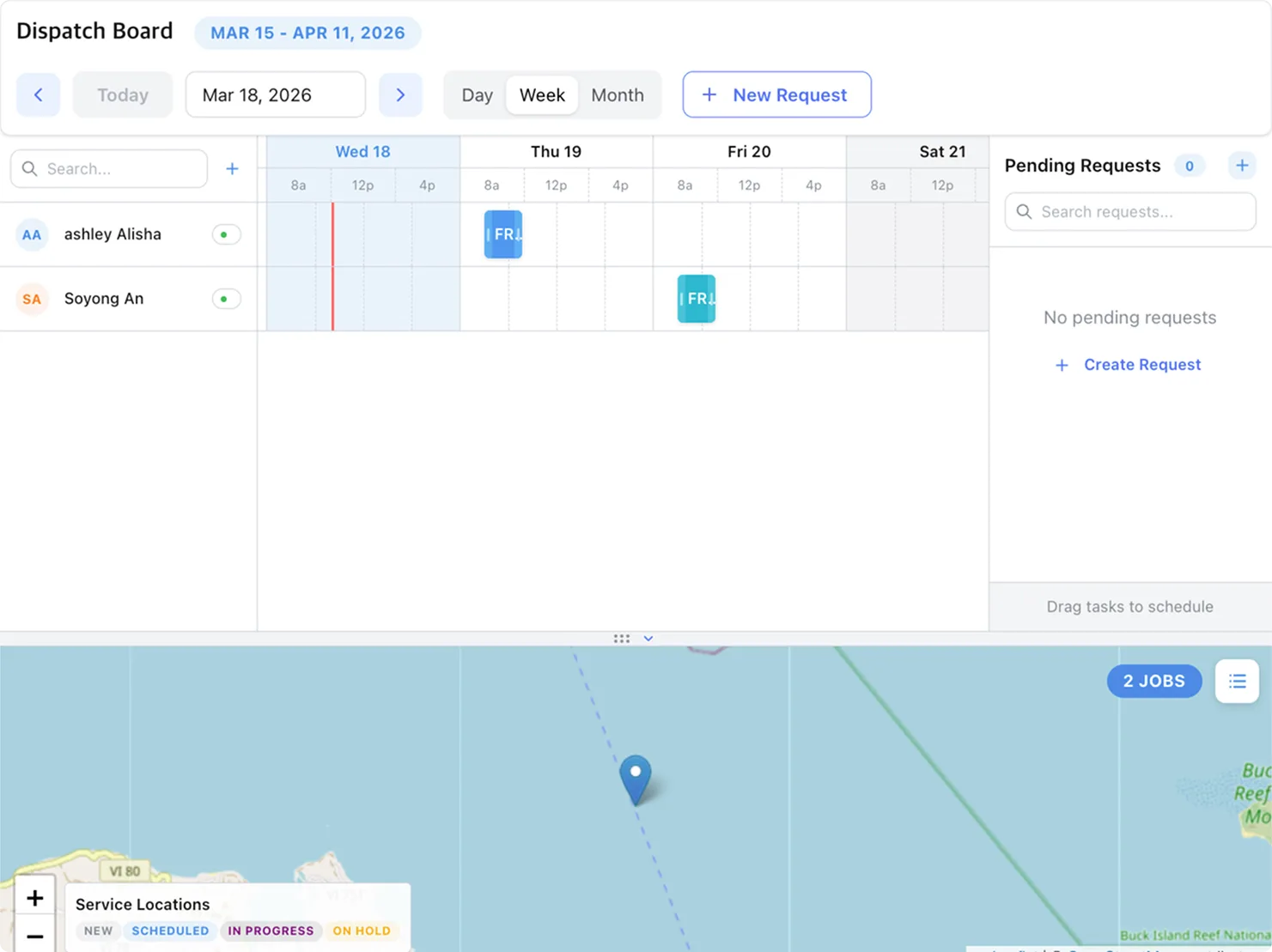
Shop-floor execution
Operators log progress on tablets or barcode scanners. WIP, scrap, and rework update in real time — no batch reconciliation.
- •Tablet and barcode-driven
- •Real-time WIP and labor capture
- •Quality checks at the operation
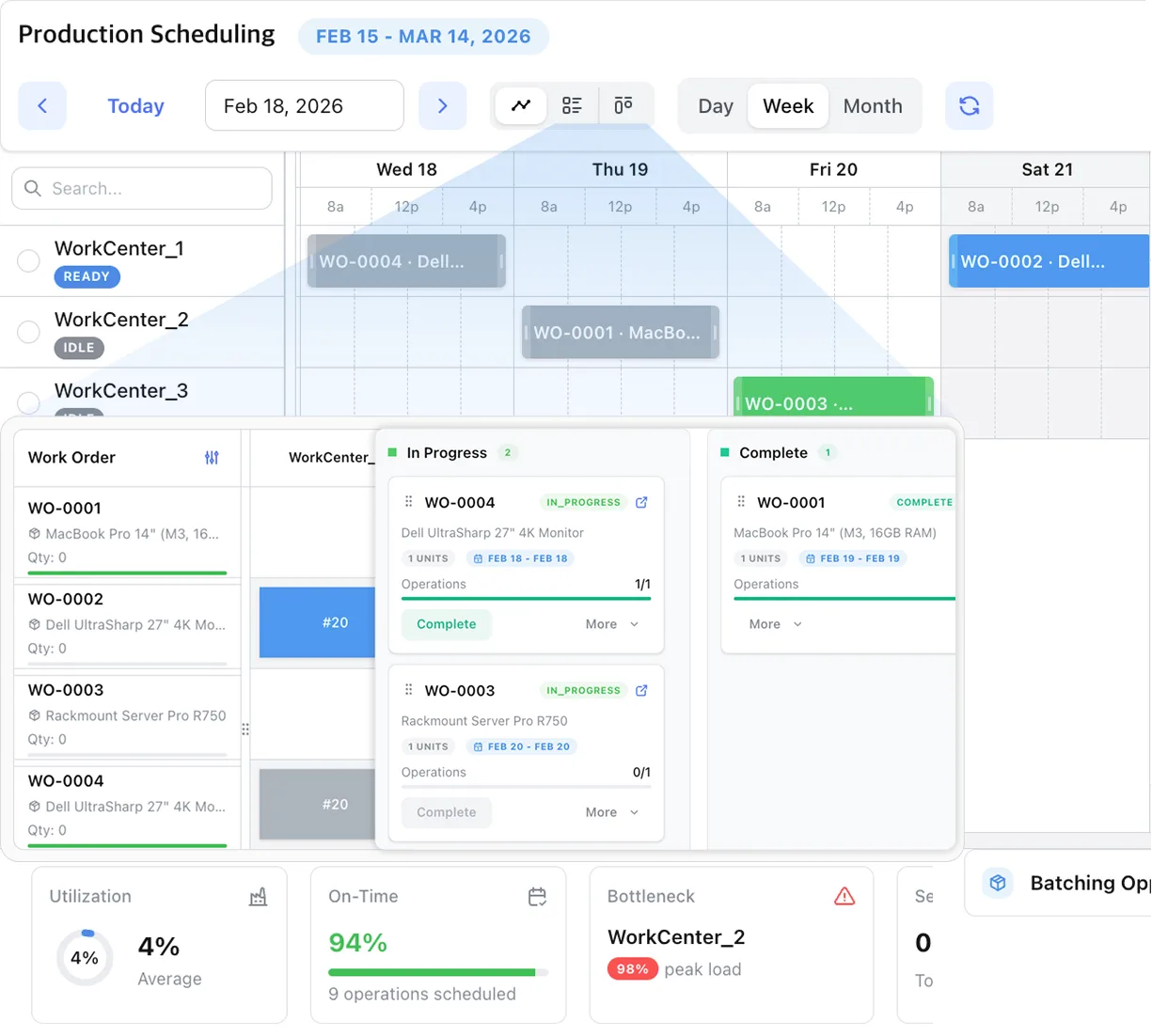
Scheduling and capacity
See capacity by work center, day, and shift. Drag-and-drop reschedule. AI suggests the schedule that minimizes setup time and lateness.
- •Finite capacity scheduling
- •AI sequencing suggestions
- •What-if simulation
AI on the production floor
Ask your ERP what's actually happening
Real-time data, real-time questions, real-time answers.
Which work orders are at risk this week, and why?
Three jobs at risk: WO-1042 (waiting on raw material, ETA Friday), WO-1051 (operator capacity short by 6 hrs Tuesday), WO-1058 (BOM revision pending QA approval). Recommended: expedite the QA review on 1058 — it unblocks $84k of revenue. I can route it now.
No more end-of-day surprises. The system flags issues while you can still act on them.
See your production in real time
30 minutes, your products and process — no generic demos.
Common questions
Yes. ianaiERP covers the core MES jobs: releasing work orders, operators logging progress on tablets and scanners, real-time WIP, and scrap and rework tracking. It also connects to PLCs and machines, tracks OEE, and manages your equipment. It runs on the same database as your ERP, so there is no separate MES to integrate.
Yes — make-to-order, make-to-stock, configure-to-order, and engineer-to-order are all first-class. Job and process costing both supported.
Yes. The shop-floor app runs on iPad, Android tablets, and rugged scanners. Designed for gloved hands and noisy environments.
Yes — finite capacity by work center and resource. AI-assisted sequencing minimizes setup time and missed dates.
ianaiERP includes its own financial ledger and accounting. QuickBooks Online data can be migrated during implementation, with scope and balances reviewed before cutover.
About 8 weeks for a single line or product family. We deliberately avoid big-bang implementations — they fail.
Yes. MRP turns sales orders and forecasts into planned work orders and purchase suggestions from your BOMs and routings, and the scheduler sequences them against finite capacity by work center.

See your production line on ianaiERP
Book a 30-minute demo with someone who's stood on a shop floor.